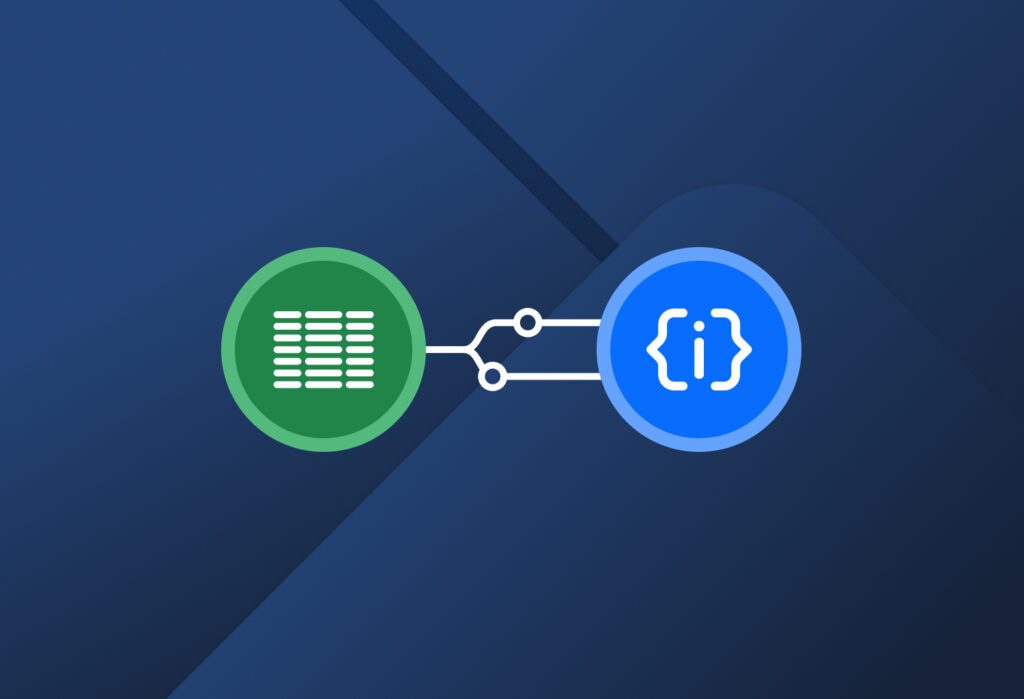
Here is a quick rundown of the simple steps to follow:
1. Create a Parser. Sign up for a Docparser account and create a Parser for your CSV files. To do this, simply choose a Blank Parsing Template and name it.
2. Upload a sample CSV file. Docparser will use it as a basis to convert all subsequent files.
3. Create a table parsing rule. In the rule editor, select the ‘Table Data’ rule from the different rules available. The editor will then display the data in table format. To clean up your output, be sure to add table filters that:
- Remove the first row (if it contains column names).
- Remove double quotes from the first and last columns.
- Add column headers – this is essential to get keys in your JSON file that describe the corresponding values.
4. Download your JSON file. In the Downloads section, select the JSON format, and Docparser will generate a download link for your file. Here you go! You can take a look at it on a JSON file viewer:

This is a one-and-done setup process that will only take a few minutes. Now you can upload any number of CSV files with the same structure and Docparser will parse them all at once. No more manual conversions!
4 Benefits of Converting CSV to JSON
While CSV files work well for spreadsheets, JSON is the preferred data format of most people who work with modern apps and APIs. Converting CSV to JSON offers several advantages:
1. Hierarchical data structure
The JSON format has a hierarchical data structure that allows you to organize relationships within your data. Specifically, you can group data points that are related to each other in a sub-hierarchy within a larger object. This is called nesting. In other words, JSON’s hierarchical structure lets you organize and understand data, whereas the CSV format forces everything into flat rows.
For example, a customer order can contain several products. In JSON, the list of products is stored as a nested array inside the order object. Another example would be storing a person’s personal and work phone numbers: both numbers are grouped inside the same contact object as a nested list.
2. Integration with web and mobile apps
JSON is the default format for APIs and front-end applications. So converting CSV to JSON ensures your data can be pulled directly into online tools, dashboards, and internal systems without hiccups.
3. Ease of data exchange between systems
Another advantage of JSON is that it’s machine-readable, meaning apps and automations can easily understand and use it. Unlike CSV, JSON doesn’t rely on the position of data in specific columns. Instead, each value is paired with a key (like “name”: “Alice”), so the meaning of the data is always clear, no matter where it appears.
This makes JSON more reliable in automated workflows, because even if the field order changes, the data can still be read correctly.
4. Preservation of data types
JSON preserves data types, which means numbers stay numbers, booleans stay booleans, and text stays text when the file is parsed. In a CSV, everything is treated as plain text, so software has to guess whether a value is a date, a number, or something else — and that can lead to errors.

With JSON, each value keeps its original type, so systems can read and use the data accurately with no extra cleanup or interpretation. This makes JSON especially useful in automated workflows, databases, and applications where the format and meaning of data must remain consistent.
So this is how important the JSON format can be in your work. And in order to make the most out of it, you need a tool that can reliably convert CSV to JSON and make data available for downloading or exporting to other apps.
That’s where Docparser comes in.
Why Use Docparser As Your CSV to JSON Converter?
The way Docparser works (as shown above) can prevent many of the pain points usually encountered when trying to turn CSV data to a JSON output.
Automate the file conversion process
If converting CSV files manually has been eating up your time, you’ll be glad to learn that Docparser automates this process. No need to write scripts or look for Python or JavaScript libraries anymore. Simply set up your CSV to JSON Parser once (in just a few minutes), and Docparser will apply the same parsing rules to every new file you send its way.
On top of that, you have the freedom to customize the parsing process thoroughly, so you’ll get clean, structured data every time. No need to clean up the data or formatting.
Convert entire batches of CSV files in a snap
If extracting data from files is part of your workflows, Docparser makes it quick and painless. Send batches of CSV files to your Docparser account via direct upload, email, cloud storage imports, or even API calls. Then, Docparser parses everything in one go and gives you a download link. Furthermore, you can download parsed data based on specific filters:
- Last 100 files
- Last week
- Since the last download
- Etc.
Turning countless hours of tedious work into minutes of automated parsing lets you take back your time and focus on higher-value work: building and updating APIs, testing app features, surfacing insights from data, etc.
Build end-to-end automated workflows
Once you automate the CSV to JSON conversion process, you can take things further and set up automated workflows to save even more time and effort.
To illustrate, let’s say you receive daily CSV exports of new orders. Your end-to-end workflows can look like this:
- You send your CSV files to Docparser.
- Docparser automatically parses them and extracts the data in JSON format.
- The parsed data is sent via webhook to your eCommerce platform or ERP.
- Inventory levels are updated, order confirmations are sent, and shipping labels are generated — all automatically.
In essence, any workflow that requires structured JSON data downstream can be automated using CSV-to-JSON conversion as the pivotal step.
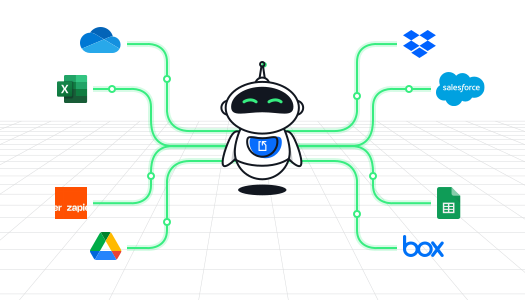
Docparser integrates with popular platforms like Zapier, Make, Power Automate, Google Sheets, Airtable, and thousands of other cloud apps and APIs. So the sky is the limit when it comes to the end-to-end automation opportunities that your business can benefit from.