How to Extract Data from PDF Into Your Business Tools
What is data extraction?
Data extraction is the process of collecting structured or unstructured data from a variety of sources — in this case, PDF documents. Extracting data allows you to efficiently consolidate, process, and refine data in a centralized location.
“The best-run companies are data-driven, and this skill sets businesses apart from their competition.” – Tomasz Tunguz
How do I automate PDF data extraction?
Automated PDF data extraction solutions come in different flavors, ranging from basic OCR tools to enterprise-ready document processing and workflow automation platforms – like Docparser.
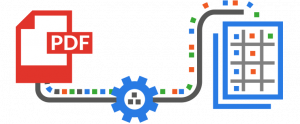
Our solution is designed for the modern cloud stack, allowing you to automatically fetch documents from various sources, extract specific data fields, and dispatch the parsed data in real-time to a database, spreadsheet, app, or API.
To get a clear idea of how Docparser works and the accuracy you can expect, watch this short video:
Why Businesses Extract Data from PDFs
Businesses extract data from PDF to reduce manual data entry, send data to their business apps seamlessly, and automate repetitive, document-based workflows.
Reduce manual data entry
Manually re-keying data might work if you only have a couple of PDF documents. But when you need to process multiple documents on a routine basis, your workload increases proportionally, taking away time from more important tasks and opening the door to data entry errors. And while outsourcing manual data entry is an option, it comes with a lot of overhead and is hard to scale.
That’s why businesses use tools that extract text from PDFs and move it where it should be. Reducing manual data entry saves them both time and money.
Extract data from PDF to Excel, Google Sheets, CRMs, and other tools
Data extraction alone isn’t enough to unlock true efficiency: people need to move it to their business tools in a seamless manner. Commonly used tools include Excel, Google Sheets, CRMs like Salesforce, databases, APIs, etc.
Automate repetitive document workflows
This is the real game-changer for businesses: not just automating data entry, but building automated workflows that handle simple yet repetitive tasks. Here are some examples:
- Routing supplier invoices to a person for approval and setting reminders for due dates.
- Streamline candidate screening to shortlist qualified applicants faster and schedule interviews.
- Extracting bank statement transactions to an accounting tool to automate bank reconciliation.
- Sending sales data to a business intelligence tool to create monthly sales performance reports.
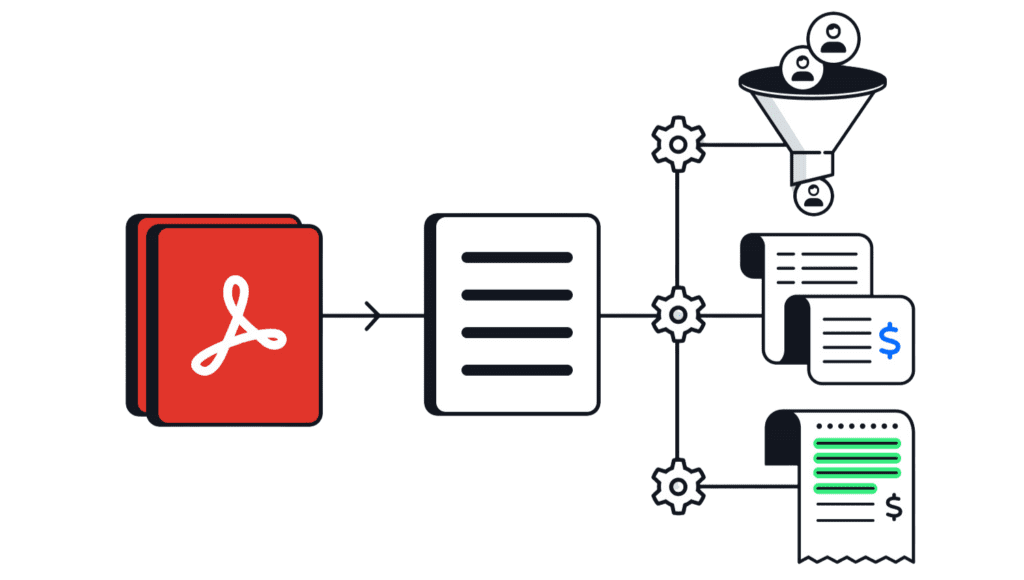
However, before you can automate workflows, first you need to be able to extract data from PDFs accurately and efficiently. Depending on what you use, this could be a challenge.
Common Challenges of PDF Data Extraction
Extracting data from PDF files can be challenging when dealing with scanned images, large volumes of documents, or data extraction tools with severe limitations.
A lot of PDF files are scanned images
While scanned documents are easily readable for humans, computers can’t understand the text without first applying a method called Optical Character Recognition (OCR). But not every OCR tool yields excellent results.
You might also run into trouble when you want to extract table data. While you can find free table extraction tools, most of them lack OCR.
Handling large documents volumes
When dealing with high document volumes, many tools fall short. Basic solutions often struggle with batch processing and can lose accuracy when layouts change. In these cases, you need a reliable tool that can handle large numbers of documents while maintaining consistent, accurate data extraction.
Most data extraction tools have limitations
Basic data extraction tools might give users some trouble. Common limitations include:
- The extraction parameters aren’t customizable enough to produce accurate results.
- The tool can’t process big batches of documents simultaneously.
- AI-powered tools may require large datasets for training models.
The good news is you won’t encounter those issues when using Docparser.
Why Should I Use Docparser?
Extracting data is essential for smooth workflows. A typical example is extracting customer data from forms into a database. Or your company wants to consolidate a database or streamline internal processes by merging data sources from different departments. Either way, data extraction is needed. Docparser is built to do that and more.
Move data from PDFs into your tools
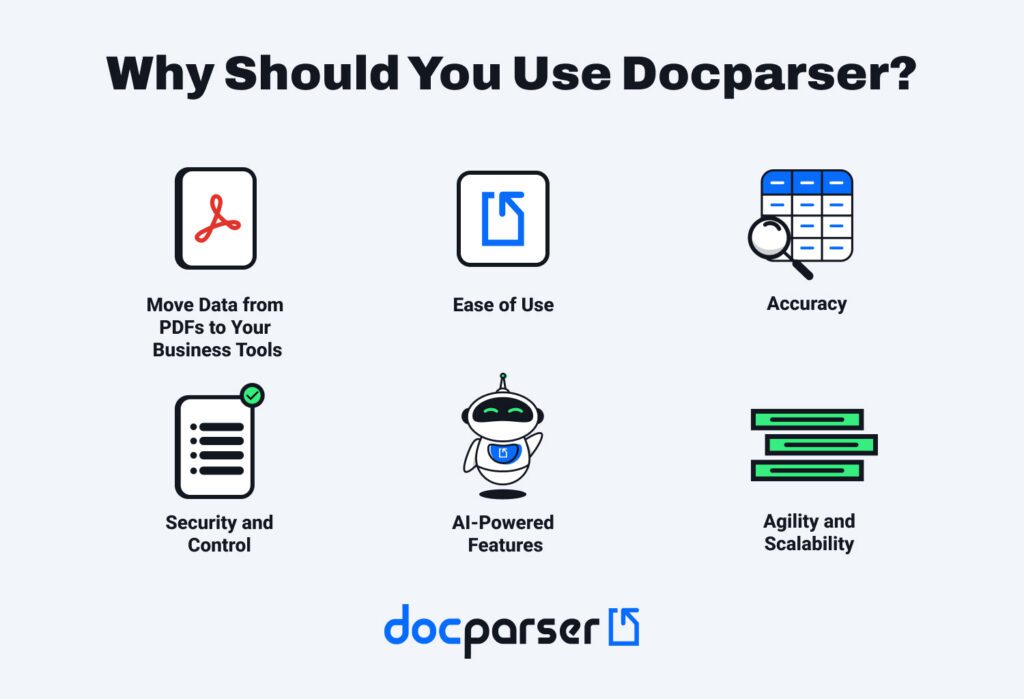
By parsing and exporting data to your business tools, you take away a major hurdle from your workflows. Once data moves smoothly from PDF files to systems, you and your team will perform your daily roles with more efficiency, fewer errors, and better results.
Alternatively, if your workflows or systems require consolidating data into a single file, Docparser allows you to download parsed data as a file in four formats (XLS, CSV, JSON, and XML).
“We use Docparser for parsing and extracting data from supplier PDF invoices, we process over 2,500 per month and using Docparser saves us hours every week. All data is extracted extremely accurately and ends up in a Google Sheet.”
Ease of use
No need to download or install it; Docparser works straight from your favorite web browser.
You build your parsing rules on a point-and-click interface, and can customize them extensively without writing code.
AI-powered features
DocparserAI, our AI-powered parsing engine, has opened new possibilities for users. For starters, it allows you to automatically create parsing rules from one document only (no need for a dataset to build a model). It can also recognize handwriting, extract checkbox selections, parse resumes, parse receipts, and even summarize content.
Accuracy
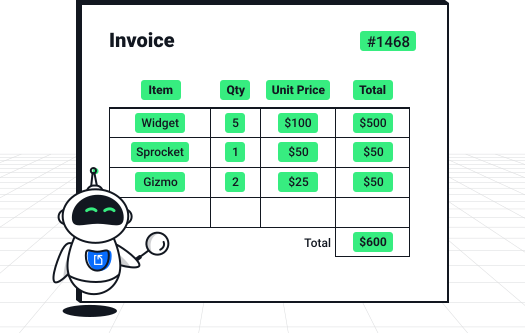
Manual processes performed by humans cause errors, and require time to enter, edit, and review large volumes of data. Docparser can automate these tedious processes and helps reduce not only the time they take but also the error rates. With a well set up parser in place, data accuracy will increase significantly.
Security and control
Docparser allows your company to extract and export data to your database automatically. As a result, your data won’t fall prey to outdated applications or software. It’s your data, it’s protected, and it’s yours to use and organize.
Shareability
You can control who has access to your data. Extraction allows you to share data in a standard format and gives you permission to include or exclude whoever you want.
Agility and scalability
Growing pains is a common term used by any growing company. As companies grow, they need to adjust to working with different data types across separate systems. Data extraction consolidates the information into one centralized system to unify multiple data sets.
Upload a document that you process regularly and build your automated document parser in minutes.
What Types of Data Can I Extract?
You can extract any sort of data that you receive regularly in documents or emails and need to add to a database or system. Common examples include invoices, purchase orders, new leads, bank statements, financial data, customer data, and more.
- Invoice and purchase orders. Businesses receive and generate invoices and purchase orders daily. Data extraction plays a key role in smooth invoice processing and keeping accurate records.
- Bank statements. Digitizing bank statements helps you consolidate them in one place and streamline bank reconciliation. Also, they contain important information, so you want backup copies and safeguards redundancy.
- Lead data. Many businesses receive new leads via PDF forms or emails. Adding their details to a CRM manually is time-consuming which hurts the sales team’s responsiveness. To solve this problem,
- Financial data. From sales numbers, purchasing costs to competitor pricing, financial data helps companies track their performance, improve inefficiencies, and plan strategic plans to fix holes in their company.
- Customer data. To understand their customers, businesses often analyze their demographic data, purchase history, on-site behavior, survey responses, and more. Extracting and analyzing that data can lead to insights that inform strategic decisions.
- Performance data. This data measures the efficiency and results of business operations. Examples include shipping costs, delivery times, sales metrics, inventory performance, and other operational KPIs found in reports and documents.
Import documents from your tools
After discovering your extraction needs, you’re ready to figure out how to extract the data and decide where you want or need to store it. Docparser allows you to automatically import documents from a specific folder to your cloud storage provider. Our app integrates seamlessly with Google Drive, Box, Box, and Dropbox.
Furthermore, inbound integration platforms are great for copying and synchronizing data and documents between your chosen cloud application and automating tedious workflow tasks. Docparser can connect with:
All those platforms can import documents to Docparser and place the parsed data in any chosen location. So, importing documents from the cloud is easy if you have an account with one of the supported integration platforms.
Here is where to send extracted PDF data
With Docparser, you can send PDF data to virtually any destination. Common use cases include Excel or Google spreadsheets, CRMs, accounting platforms, ERPs, business apps, collaboration tools, databases, APIs, and more.
Excel and Google Sheets
The simplest destination for parsed data is a spreadsheet on Excel or Google Sheets. Docparser integrates directly with both, allowing you to easily update your sheets with new data.
CRMs
A common use case among our users is lead management. Send lead data to your CRM and accelerate lead routing and follow-ups. In fact, Docparser has a direct integration with Salesforce CRM, making it very easy to create new leads there from parsed data.
Accounting platforms and ERPs
Another common use case is moving data from PDFs to accounting software and ERPs. This helps automate downstream workflows such as invoice processing and bank reconciliation.
Webhooks and APIs
Other than cloud applications, you can send data to an HTTP endpoint in real-time using a webhook. You can also fetch documents via our REST API.
Workflow automation tools
Last but not least, you can connect Docparser to workflow automation tools like Zapier, Microsoft Power Automate, Workato, and Claris Connect. They work as intermediaries between Docparser and the cloud applications where you need to export data.
Note that using a third-party integration platform requires a separate subscription.
Frequently Asked Questions (FAQ)
What other formats can I parse with Docparser?
Docparser supports the following file formats: PDF, DOC, DOCX, JPEG, PNG, TIFF, XLS, CSV, TXT, and XML.
Does Docparser have page count limitations?
Docparser works best with documents between 1 and 10 pages long, such as invoices, purchase orders, bank statements, etc. The page limit is set to 50 by default – this applies to scanned documents that go through OCR. Our app’s maximum limit is 200 pages.
If you have documents with multiple data sets, you can use our built-in document splitting feature to split them into individual documents based on rules like a specific number of pages or specific keywords.
What is the file size limit?
Documents are limited to 20MB. Local upload speed affects how our fast server receives the file, but our recommendation for maximum file size is 8MB. Larger documents are likely to fail to import into our application otherwise.
Customers on our higher-tiered plans such as Business + and Enterprise have an increased upload size.
Does Docparser extract data from emails?
No. Docparser doesn’t extract data directly from emails. However, you can use emails to import PDF files into Docpaser. For example, if you receive PDF files like invoices by email, you can upload those documents to Docparser.
We recommend our sister app, Mailparser. It’s an industry-approved leader in email parsing.
Is Docparser safe to use?
Yes. Data security and privacy are a core priority for us. We use bank-level encryption and our servers are regularly updated with the latest security patches. For more details, you can read our security statement and privacy policy.
Automate PDF Data Extraction With Docparser
If you are spending too much on manual data entry, it’s time to switch to PDF data extraction and workflow automation. You don’t have to deal with the stress of quickly entering data and double-checking for errors every day. You also don’t have to keep wasting time that should be dedicated to high-ROI tasks. It’s far more efficient to extract data from PDFs and reduce hours of work to just minutes.
Once you start using Docparser, it’s not just data entry you will automate but entire workflows. Picture this: whenever new data arrives in your business system, it triggers simple but essential actions such as notifying team members or creating new records. This way, you and your team automate repetitive workflows, freeing up time for high-impact work.
Ready to get started? Sign up for a free trial and upload a document type you handle routinely. You’ll see how simple, customizable, and accurate Docparser can be.