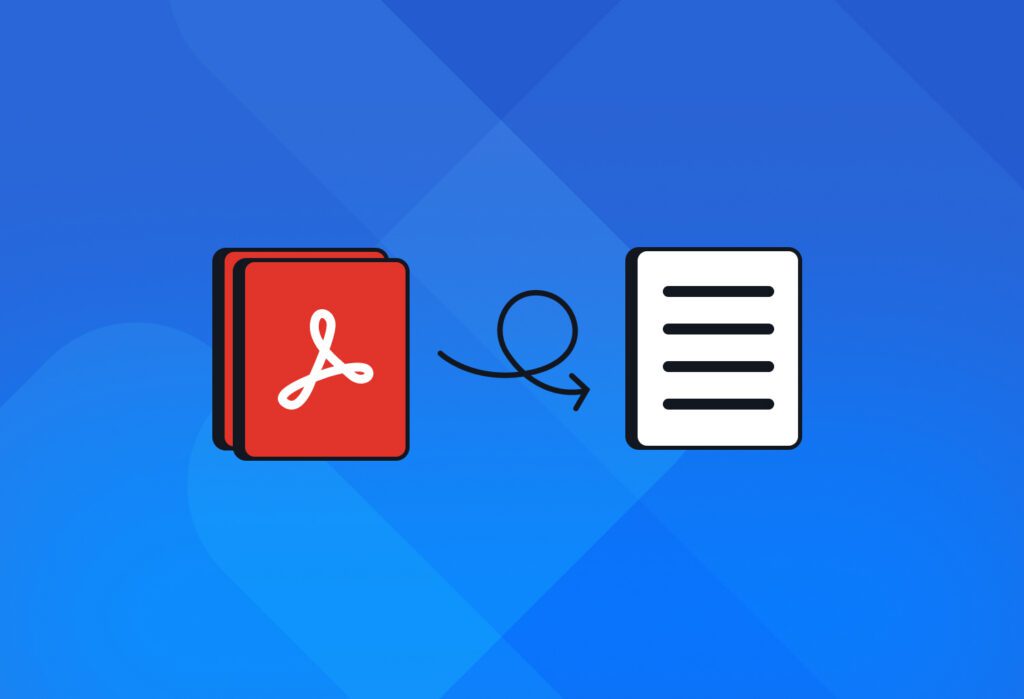
PDFs often lock important data in a format that systems can’t easily read or use. If you regularly process documents and lose hours manually inputting text, Docparser is built for you. Use it to parse PDF to text automatically and save several hours of manual work every week. Whether it’s invoices, contracts, or other recurring business documents, our document parsing tool puts an end to your PDF woes.
But the productivity boost doesn’t stop here. Unlike basic PDF to text converters that stop at file conversion, Docparser integrates with your business apps, allowing you to build automated workflows that move data from files to systems and trigger actions. In this blog post, we show you how to convert a PDF to text in just a few minutes using Docparser.
Convert Your PDF to Text
Use Docparser to automate data entry, save time, and streamline your document-based workflows.
No credit card required.
How to Parse PDF to Text Using Docparser
Data extraction isn’t always a smooth process. Because of this, professionals often encounter issues like fragmented text or missing content. When they do, they have to clean up the text manually or keep looking for the right solution. Either way, they lose time and face more stress.
Docparser, on the other hand, is built to make document processing easy and reliable. You set it up once and get accurate data every time you upload new PDFs. Follow this video tutorial to turn your PDF to text in no less than 3 minutes:
To summarize, follow those simple steps:
- Upload a PDF document to Docparser.
- Define parsing rules to extract text and data. Our AI-powered parsing engine can automatically create a set of rules for you. You can edit those rules and even add more if needed.
- Download your extracted text or export it to a cloud app or API via an integration.
If you want your parsed text in TXT format, download it as a CSV or JSON file, then open it in a text editor, and save it in TXT format.
In practice, the more likely scenario is sending your data to your system. In addition to our direct integrations, Docparser can connect with thousands of apps via our third-party integrations and even send data to APIs via webhooks.
Does this sound like a fitting solution for your PDF parsing needs? Upload one of your PDFs and convert it to text.
Extract PDF to Text and Automate Workflows
Save hours of work, prevent errors, and build automated document-based workflows.
No credit card required.
Why Choose Docparser?
Get started in minutes
As seen in our tutorial, it only takes a few minutes to have your PDF-to-text converter up and running. No installation or coding skills are required; you simply access Docparser from your browser, set up your parsing rules and integration, and you’re good to go.
To learn more about how Docparser works, we recommend that you watch our tutorials at Docparser Academy and explore our knowledge base.
No more data entry errors or extra data cleanups
Data entry errors can have a severe impact on your business. For example, cancelled transactions, more work for employees, damaged vendor and customer trust, and more.
One of the main reasons users choose and stick with Docparser is that the parsing results are not left to chance. You customize parsing rules for maximum accuracy once, and those rules are reused automatically for every new PDF. As a result, you’ll never have to waste time cleaning up extracted data.
As a result, you eliminate the cost of incorrect data, improve cash flow, and enhance both supplier relationships and the customer experience.
“The interface is clean and user-friendly, and the data extraction results are second to none. One standout feature is the ability to not only extract data but also clean and format it to match specific needs—this flexibility has been a game-changer for our workflows.”
– Pieter N., Manager in the financial services industry
Save hours of work every week
Data entry costs businesses hundreds (if not thousands) of hours every year. That time could have been spent on higher-value tasks that drive growth. Docparser helps companies reclaim that valuable time and get more things done every day. Peter K.,one of our customers, shared the following:
“We use Docparser for parsing and extracting data from supplier PDF invoices, we process over 2,500 per month and using Docparser saves us hours every week.”
— Peter K., director in the retail industry
The efficiency gains scale with your business: the higher the document volume, the more time and money you save with automated document parsing.
Leverage our AI capabilities
At Docparser, we’re at the forefront of AI-powered document parsing, with new features introduced in recent years and more to come in the future. DocparserAI, our AI-powered parsing engine, gives you access to:
- AI-enhanced OCR
- AI-powered resume parsing
- Handwriting recognition
- Checkbox data extraction
- Content summarization
Your data stays private and secure
Security has been a growing concern for companies, and for good reason. Docparser processes your documents securely and does not use customer data to train AI models, sell it, or share it with third parties. We use secure infrastructure and bank-level encryption. For more details, read our security statement.
Convert Your PDF to Text
Save hours of work, prevent errors, and build automated document-based workflows.
No credit card required.
How Parsing PDF to Text Unlocks Automated Workflows
Automated workflows depend on data that systems can interpret and act on. PDFs, however, are designed to preserve layout. Parsing PDF to text removes that barrier by turning documents into machine-readable data that automation tools can act on.
Once you convert a PDF to text, its content can move between systems without manual handling. Key fields go to the right destination, allowing workflows to continue instead of stopping at each document. This makes it possible to process high volumes of recurring documents consistently and at scale.
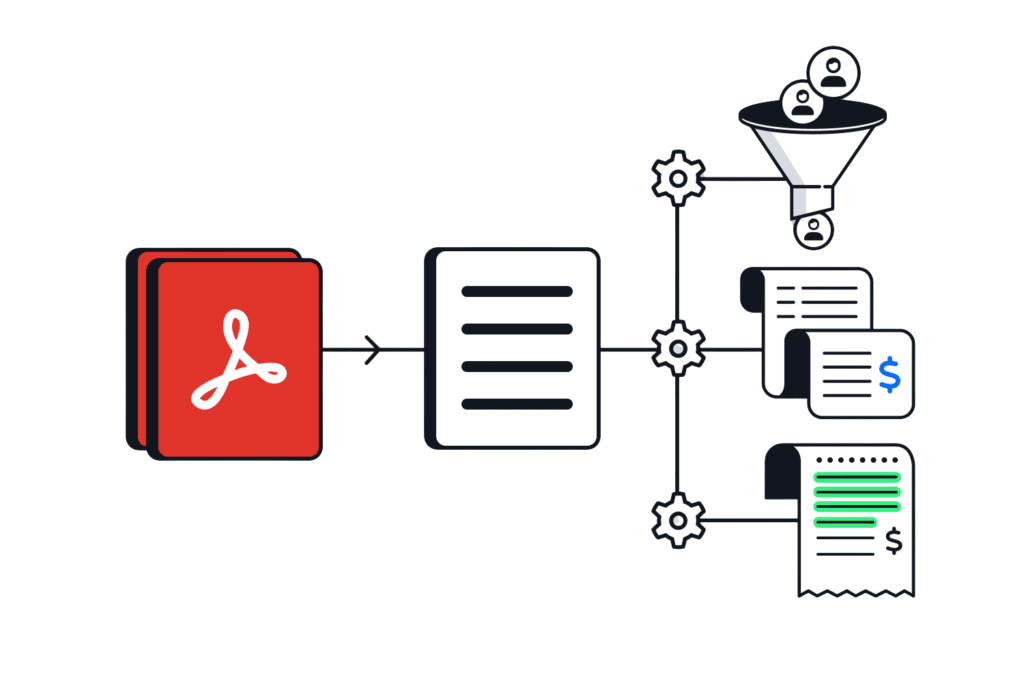
Here are some examples of workflows you can automate
- Invoice processing: Automatically create an invoice record in your accounting system whenever you upload a new PDF.
- Purchase order processing: Log new purchases in your ERP and update inventory levels.
- Lead management: Create a new lead or contact on a CRM when a completed form is received in PDF format, then notify team members in Slack.
- Expense processing: Submit expenses for reimbursement once details are extracted from expense reports.
Once you automate document-based workflows, you and your team will have more time for the work that requires human expertise and moves the needle.
If you have been losing time and money inputting text manually, and you want to automate daily actions that require PDF to text extraction, Docparser is the way to go. Convert your PDFs to text and unlock end-to-end workflow automation.
Docparser FAQ
Docparser is a web-based document parsing solution. It uses OCR, AI, and other advanced parsing technologies to extract data from documents. Hundreds of businesses rely on Docparser to parse recurring documents and streamline processes, effectively cutting down the time and money lost to manual work.
Absolutely! One of the main use cases of Docparser is extracting text (and also tables) from scanned documents, whether they’re in PDF or image format (PNG, JPG, and TIFF). So if you receive image-based documents or scan them yourself, Docparser is the perfect tool to extract text from PDF scans without issues.
Yes, you can extract specific sections of a PDF (like names, invoice details, text blocks, or entire tables) using our rules, filters, anchor keywords, and visual cropping tool.
Yes. In addition to PDF, you can extract text from the following document types: PDF, DOC, DOCX, XLS, XLSX, TXT, XML, PNG, JPG, and TIFF.
Yes, you can extract text from PDF files and download it in these formats: XLS, CSV, JSON, and XML.
Yes, Docparser supports many languages, such as Spanish, French, German, Chinese, Japanese, and many more. To consult the full list of supported languages, read our knowledge base article “What languages does the OCR engine support?”.
You can sign up for a free trial and use Docparser for 14 days. Unlike free PDF-to-text converters, which only allow you to extract data (assuming it’s accurate), Docparser helps you build document-based workflows that move data from PDFs to your systems seamlessly, and this is where you unlock the real efficiency gains.
Yes. Data security and privacy are core priorities for us. We use bank-level encryption, and our servers are regularly updated with the latest security patches. For more details, you can read our security statement and privacy policy.
Convert Your PDFs to Text Today
More and more businesses across all industries are adopting intelligent document processing to streamline workflows, lower operational costs, and gain a competitive advantage. The truth is: manual processes are holding you back.
Sign up for a free trial now and upload your PDF. In just a few minutes, you’ll have your own custom PDF-to-text converter that extracts text and automatically sends it where you need it to be. Beyond just data extraction, you will build an end-to-end workflow that automates routine tasks for you, such as creating new records in your system or sending notifications to team members. You will save hours of work every week, freeing up time for high-impact work that moves the needle for your business. Get started today and discover the efficiency of document-based workflow automation.
Extract Text from Your PDFs Easily
Save hours of manual work, prevent errors, and build automated workflows end-to-end.
No credit card required.