How Businesses in 3 Industries Use Docparser to Automate Invoice and PO Processing
Businesses across industries rely on Docparser for invoice and purchase order automation. Let’s take a look at 3 industries that benefit from PO and invoice automation solutions.
1. Manufacturing
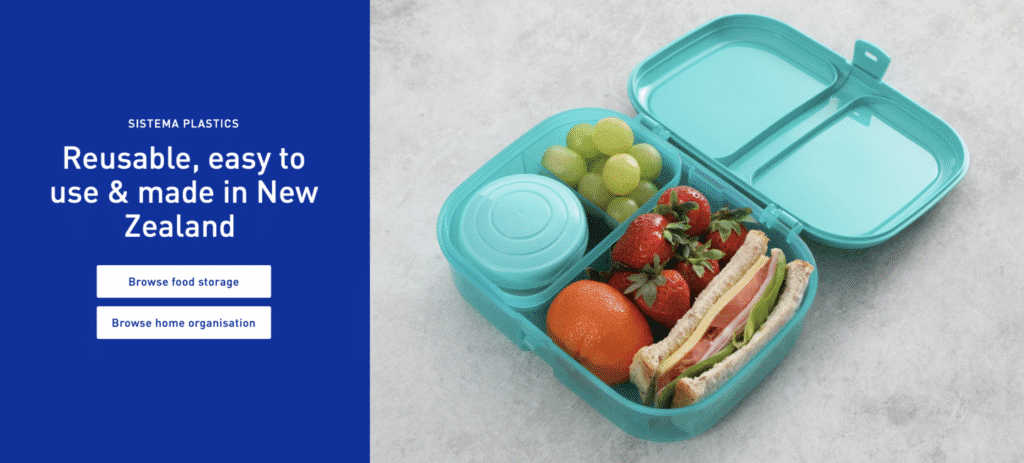
Sistema Plastics is a leading New Zealand-based manufacturer of plasticware that exports globally. The company receives purchase orders in a wide range of complex PDF formats. Previously, staff had to manually rekey order details from PDFs into Excel for review before importing the data into their ERP system. This process was time-consuming and prone to errors.
After implementing Docparser, Sistema Plastics set up custom parsing rules for each customer, automatically extracting order data into structured Excel files ready for review and ERP import. As a result, the company significantly reduced processing times while improving accuracy.
“Docparser has been invaluable and has reduced processing time of some orders from many hours down to minutes.”
By eliminating manual data entry and leveraging advanced extraction rules capable of handling even highly complex PDFs, Sistema Plastics streamlined operations, reduced errors, and improved the overall order efficiency.
2. HVAC
Leone-Green & Associates is an HVAC manufacturers’ sales representative firm based in the southeastern United States. Kimberley Cannaday, the office administrator, faced difficulties with managing POs from multiple manufacturers, each using different layouts. Many POs were sent by fax, resulting in inefficient, manual workloads.
“People would fax over their purchase orders, and from there, we would either print it out and fax it over to the manufacturer. Or, if they sent it electronically, we would email it but there was no way to really track and collect the data mining that I’m looking for.”
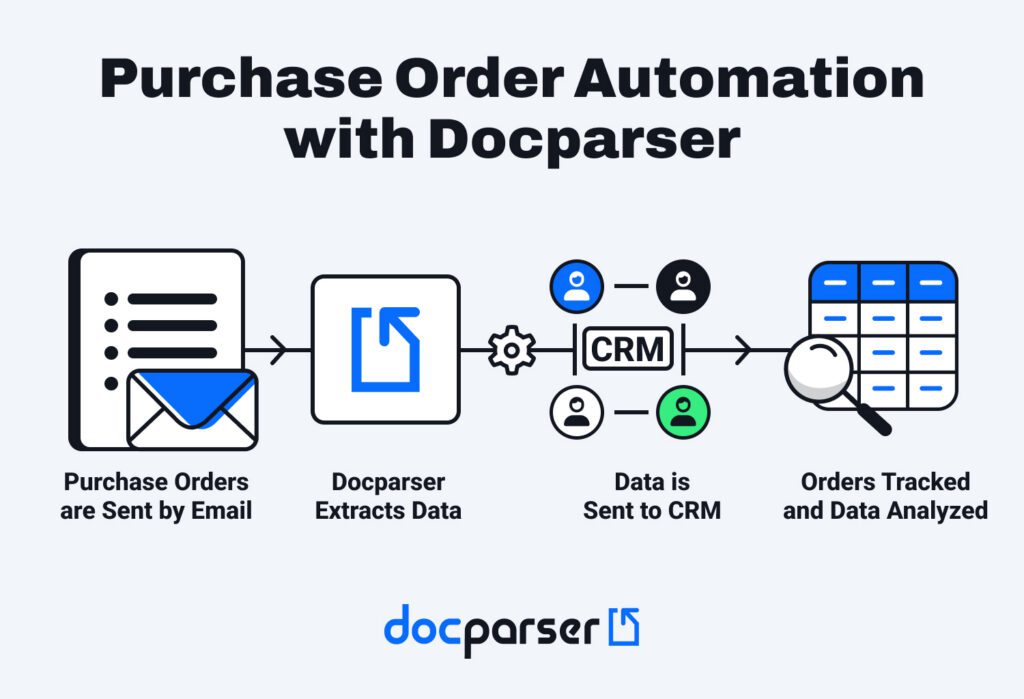
Without a streamlined system, Kimberly couldn’t collect or analyze order data in the company’s CRM. After searching for a solution for a year, she discovered Docparser.
Now, the company emails POs into Docparser, extracts data, and feeds it into their CRM. Layout changes are easy to adjust to, and Kimberly calls Docparser a “lifesaver”.
“I have the ability to email the purchase orders directly into Docparser, and it’s automated all the way into my CRM system, so I’m very happy with it.”
Thanks to the implementation of purchase order automation, the AP team works much more efficiently and can easily track metrics such as monthly order volume and top-selling manufacturers.
For organizations processing higher invoice volumes, invoice automation unlocks more than workflow efficiency and data insights; it helps them scale without encountering workflow bottlenecks.
3. Transportation
One of our users is the president of a transportation company that processes thousands of PDF invoices monthly. Before using Docparser, their AP team used to type invoice details from different formats into Excel. This process created bottlenecks that hampered the scalability of their operations.
Things have been much different after switching to invoice management automation. Employees send new invoices to Docparse and convert them into structured Excel files in a fraction of the time it would take to input data manually.
“We are converting about 3500 invoices per month but expect this to grow significantly in the future. This tool is giving us a simple way to grow our business because it is automating tasks that used to take hours. The best part is our previous process was prone to errors which this eliminates.”
By automating invoice data extraction, the company eliminated data entry errors and freed up valuable time.
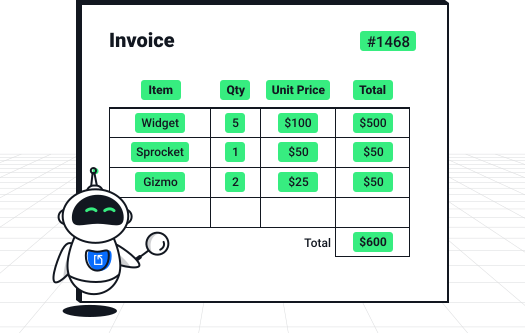
Across these and many other industries, businesses rely on Docparser for PO & invoice automation. No matter the use case or complexity of documents, our Customer Success team is available to help, as reflected in our 4.8/5 GetApp rating and our recognition by Software Advice for Best Customer Support in 2026.
Frequently Asked Questions (FAQ) About Invoice Automation
What are the benefits of automated invoice processing?
Automated invoice processing saves your AP team hours of data entry, improves data accuracy, and speeds up approvals.
But the benefits don’t stop here: you avoid late payment fees and can negotiate early payment discounts. Furthermore, the financial team gains clearer visibility into cash flow, leading to more accurate forecasts.
Can invoice automation software handle different document formats from multiple vendors?
Yes. With Docparser, you can create multiple parsers, each tailored to a specific vendor. Think of it as folders where you organize your invoices by vendors. So when you upload new invoices to their corresponding parsers, you get invoice data that follows the same structure, regardless of the document format or vendor.
Is invoice automation suitable for small businesses?
Yes, small businesses can and should take advantage of invoice automation software to save time, reduce errors, and streamline AP processes. No matter the size of your company, you can start small with Docparser and automate your invoice workflows without needing technical skills or a complex infrastructure.
Can I automate processing for purchase orders (POs) as well?
Absolutely, you can extract data from purchase orders the same way you do from invoices. Businesses often use both invoice and purchase order automation to ensure consistency between what was ordered and what was billed. This simplifies three-way matching and makes discrepancies easier to spot.
How does the extracted data get into my system?
After extracting invoice data, you can save it in a structured format (XLS, CSV, JSON, and XML) and upload the file to your accounting or ERP system. You also have the option to export data to your system via a direct integration (e.g., Google Sheets) or an intermediary platform such as Zapier, Microsoft Power Automate, or Claris Connect.
In Conclusion
Invoice automation is all about automating manual tasks that slow down invoice processing.
In fact, adoption of invoice automation software is rising fast, and businesses that lag behind will face higher processing costs and difficulty scaling operations.
Sign up for a free trial and upload a sample invoice. Once set up, Docparser will turn hours of manual data entry into minutes of invoice and PO data extraction, paving the way for automated invoice processing. You will prevent errors, enhance vendor relationships, and uncover more insights from your data.