Here is a recap of the setup process:
- Scan your receipts with your phone or scanner.
Whether it’s a photo, a PDF, or a batch of scanned receipts, Docparser accepts almost any format. - Upload your scanned receipts to Docparser.
Drag-and-drop your receipts into Docparser. Alternatively, you can send them by email or connect your cloud storage provider. - Build parsing rules (using the SmartAI Parser template).
Docparser includes SmartAI Parser, an AI-powered template that automatically identifies data fields (like merchant name, date, line items, amounts, total, taxes) and creates a set of parsing rules to extract each data field. - Export data to your accounting system.
Lastly, send your receipt data to QuickBooks, Google Sheets, or any cloud app or API that’s part of your accounting system.
Within moments, you get structured and accurate data like this:
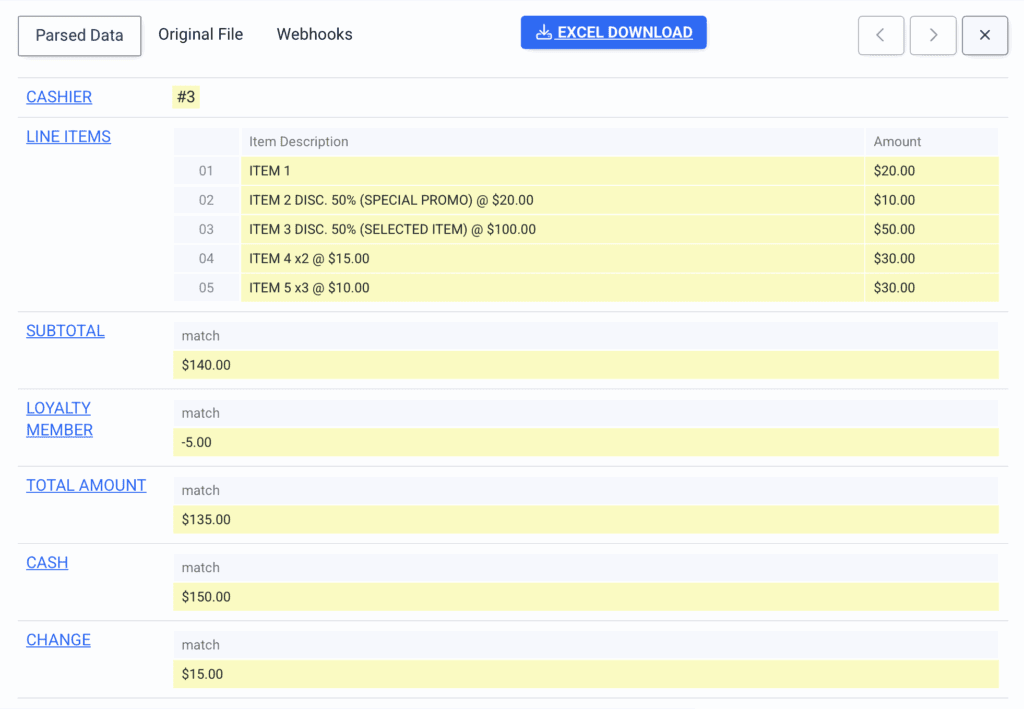
You won’t ever have to type receipt data under a tight deadline. Docparser is easy to set up and gives a simple and reliable way to turn receipt pictures or scans into clean data. And as you know, keeping accurate digital records can be a lifesaver during an IRS audit.
Why You’re Going to Love Docparser
Businesses, just like yours, rely on Docparser every day for their data extraction needs. Still, you might be wondering if it’s the best receipt scanner app for your company. Our receipt parser has a large array of functionalities that cover the aspects of your use case and help you capture all important data without manual work.
Reliable OCR capabilities
Docparser supports both PDF and image formats (PNG, JPG, and TIFF), meaning you can use it as a reliable OCR receipt scanner. So whether you collect paper receipts or receive them in digital format, you’ll be able to parse all the data across both formats consistently.
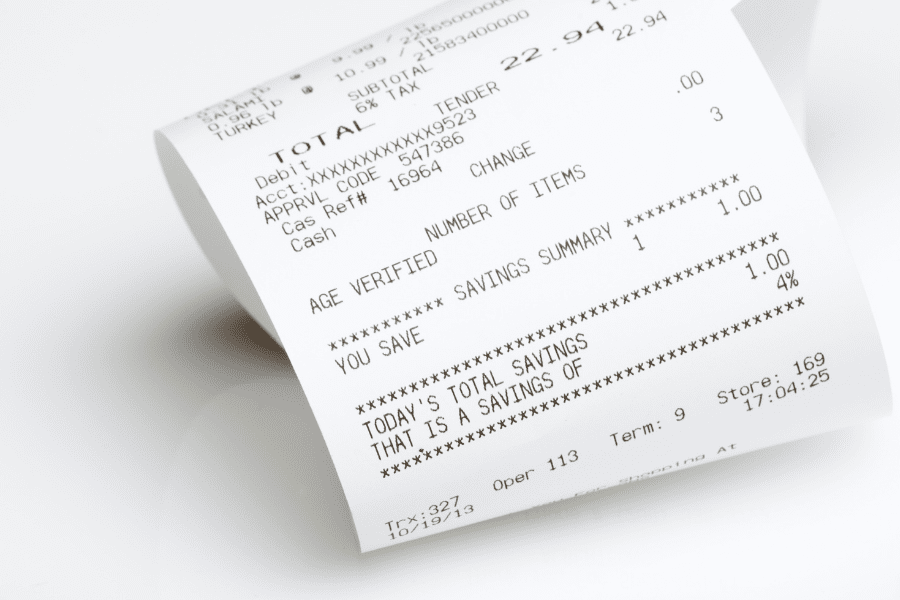
Turn entire batches of receipts into structured data
Docparser lets you parse multiple files, turning a heap of paper receipts or a folder of scanned receipts into clean, structured, and searchable data. This is perfect for businesses that manage hundreds of receipts every month.
Extract handwritten data without hassles
Docparser also supports handwriting recognition, meaning you can digitize information that was handwritten on your receipts. That way, you capture all relevant data without having to input anything manually.
Scan QR codes and barcodes
Our parsing functionalities support QR codes and 2D barcodes. If you need to scan those found in your receipts, create a new parsing rule and select the ‘Barcode and QR-Code’ preset. For more details, read this article: “Is it possible to scan 2D barcodes?”
Build an automated workflow that feeds receipt data to your systems seamlessly
Since Docparser is a web app, your data is not bound to a mobile app or mobile-only workflow. Upload receipts from your laptop, desktop, or anywhere you store them and extract data in moments.
But here’s where automation can work wonders: Docparser integrates with accounting tools, ERPs, and other cloud apps and even APIs — unlike some receipt scanning apps. Whenever you upload new receipts to Docparser and add them to the parsing queue, your receipt parser extracts the data points and exports them to your chosen destination, where you can move on directly to the next task.
That means receipt data flows directly into the tools you already use for expense reports, bookkeeping, or financial operations. You can also consolidate all data on a spreadsheet or database, making it fully searchable and ready for reporting or audits. That’s what makes Docparser the best receipt scanner app to use.
How Receipt Parsing Makes Expense Tracking Way Easier
The problem
Business expenses can accumulate quickly, from office supplies to travel fares, transportation, hotels, client meetings, event attendance, and more. Every purchase generates a receipt, and so the company needs to record and track those receipts for reimbursements, budgeting, and fraud prevention.
However, teams can get stuck sorting piles of paper, dealing with missing totals, or tracking down lost receipts. This results in slow reimbursements, inconsistent reporting, and a higher risk of errors.
The solution
By using Docparser as a receipt scanner, however, things get much more simple. As we explained earlier, it’s very easy to scan receipts, upload them to Docparser, and extract all data automatically. After that, you export the data to any expense-tracking tool, like your accounting software or a simple Google spreadsheet.
The results
After switching from manual data entry or using a subpar receipt scanner app to using Docparser, you will streamline receipt processing and thus enhance expense tracking:
- Hours of data entry become minutes of automated data capture.
- Error-free data, parsed consistently across all receipts.
- Expense reports that auto-populate with the latest data.
- Better tracking and visibility into company spending.
- Easier analysis of spend trends for budgeting or forecasting.
- Reduced waste and unnecessary expenses.
- Faster, simpler reimbursements.
- Accurate audit trails with organized, digitized receipts.
In short, Docparser gives you a faster, cleaner, more reliable way to manage every business expense without the tedium of manual data entry or having to use a physical receipt scanner.