
What Is Workflow Automation?
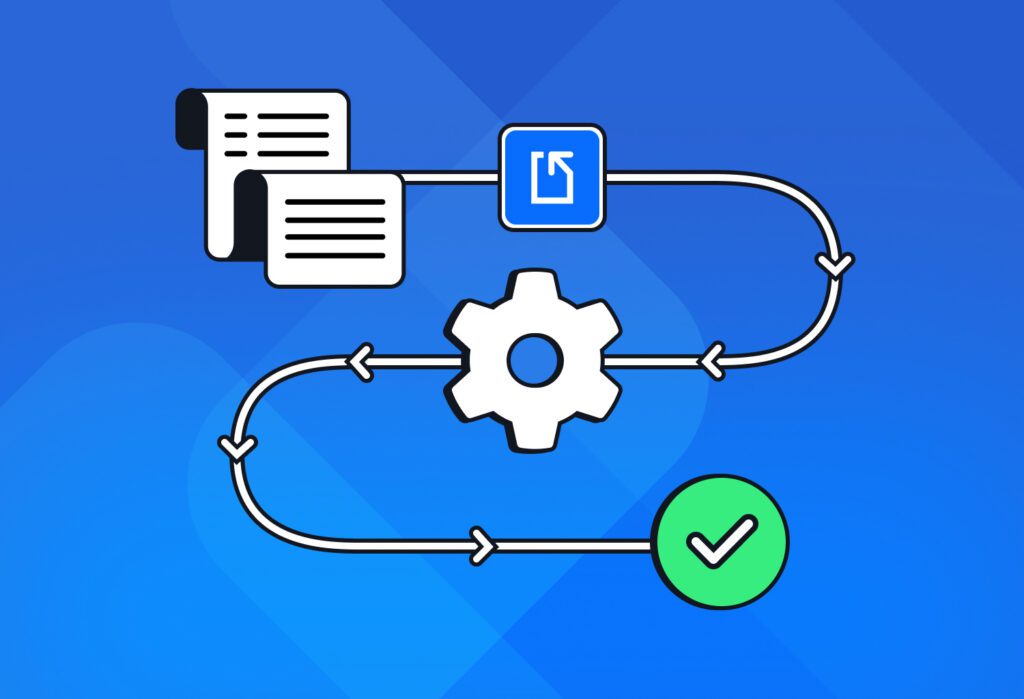
Workflow automation refers to using software tools to automate a series of tasks in a workflow with little or no human intervention. When a business automates workflows that are usually cumbersome, it gains a massive boost in efficiency and reduces human error.
Instead of employees moving information between systems, writing emails, updating spreadsheets, or routing documents for approval, workflow automation software can perform these tasks automatically based on pre-defined triggers and rules.
Is workflow automation necessary today?
If you perform a series of simple tasks frequently and they are both time-consuming and error-prone, you can benefit from automating that workflow. The cost of implementing workflow automation tools is often a fraction of the potential ROI: countless hours of work that can be dedicated to revenue-driving activities.
The reality is, this is no longer a nice-to-have. In fact, the workflow automation market was valued at USD 24.81 billion in 2025, and is expected to grow to $64.88 billion by 2035. What this means for your business is that competitors are already taking advantage of workflow automation tools to streamline their operations, reduce costs, and deliver a better customer experience.
So to answer the question we asked: yes, workflow automation is, in fact, necessary today to maintain your competitive edge.
Now, let’s see how it works.
How Does Workflow Automation Work?
In a nutshell, workflow automation software can carry out a series of tasks automatically with minimal human intervention. Depending on the workflow, this can happen within a single application (like most customer support workflows) or across multiple business tools.
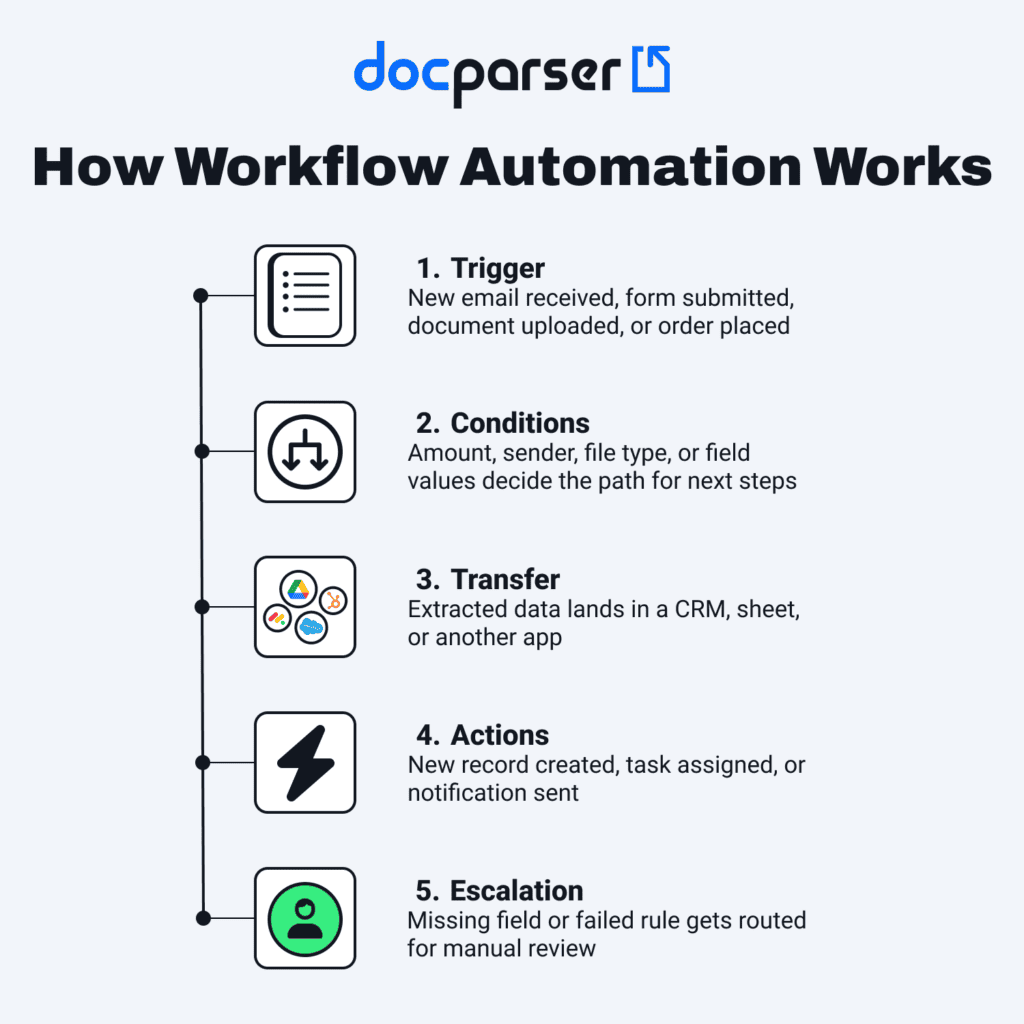
More specifically, automated workflows follow this process:
- An event triggers the workflow. This could be receiving an email or form, uploading a document, a new customer order, etc.
- Pre-set conditions decide the next steps. For example, an invoice over a certain amount may require manager approval, while smaller invoices are processed automatically.
- Information moves from one step to the next. This may involve moving data to another application or simply performing the next step within the same application.
- Actions are performed automatically. Common examples include creating new CRM records, sending notifications, assigning tasks, sending emails, and more.
- Exceptions and errors are relayed to a person for human intervention. In case of missing information, an error, or unmet conditions, an employee is notified so they can review what happened and rectify it.
While some automated workflows are handled by a single application, others span multiple business tools, requiring them to exchange information automatically. This is where workflow automation platforms, like Zapier and Make, come in handy. They can connect your tools together, allowing data to move seamlessly and trigger actions based on predefined conditions.
A common example of automating workflows is extracting information from incoming documents (like invoices, purchase orders, forms, or contracts) using a tool dedicated to this task and sending the data to a business system that carries out the next step.
What Are the Benefits of Workflow Automation?
Workflow automation has many benefits, from time savings to fewer errors, improved productivity and employee morale, enhanced transparency, scalability, and — ultimately — better customer satisfaction.
Complete workflows in less time
A lot of simple tasks end up taking more time than they should, creating delays in workflows and making employees stressed. If left unaddressed, the operational cost adds up over time and keeps impacting the company’s bottom line.
By automating those repetitive tasks, you empower employees to complete entire workflows faster and more smoothly: invoice cycles, employee onboarding, cash flow, etc.
Reduce errors caused by manual work
Human attention has limits. When a person reaches it, errors fall through the cracks. Manual data entry in particular causes a lot of mistakes that necessitate extra work to untangle and rectify. The solution then is simply to automate that process. You’ll immediately notice the difference: no more typos, incorrect numbers, missing info, or duplicate records.
Improved productivity and employee morale
When employees don’t have to spend hours every week digging for files or inputting information, they can focus on the core activities that move the business closer to its goals. Those are activities that require creativity, strategic thinking, judgement, and building relationships:
- Connecting with high-value prospects and negotiating deals
- Uncovering new insights that will inform the strategic direction
- Improving the customer experience
This sort of work is not only critical for business results but also more rewarding for employees to perform.

Enhanced visibility
Many workflow automation tools provide real-time tracking, logs, and notifications, making it easier to monitor the status of business processes. With this enhanced visibility, it’s easier to detect errors, bottlenecks, or system failures. So teams can resolve issues faster and optimize workflows.
Easier scalability
As your business grows, manual workflows become less and less reliable. When people have to handle a higher volume of information, documents, transactions, or customer requests, some level of automation becomes necessary. Once automated, workflows can keep running without a significant increase in manual workload, making it easier for your business to grow.
Improved customer experience and satisfaction
Ultimately, this is what grows your business. You improve the customer experience with faster onboarding, faster response times, faster ticket resolution, and faster delivery of products or services.
Speed matters a lot to customers in every industry, and streamlined workflows play a big part in reducing wait times. This, in turn, improves customer satisfaction, paving the way for word of mouth and repeat business.
How Docparser Helps You Automate Document-Based Workflows
Docparser helps you extract information from recurring documents and send it to your business tools in a jiffy. Essentially, it works like this:
- Import or upload documents into Docparser.
- Extract data fields in a structured format using a set of parsing rules.
- Export your data to a cloud app directly or via an integration platform (e.g., Zapier).
- Whenever new parsed data is sent to your app, it automatically performs pre-defined actions. This could be creating new records, sending a notification, generating a report, etc.
The result: no more manual data entry, no more data errors, your workflows run faster and with higher accuracy, and you automate routine tasks.
Examples of workflows you can automate with Docparser as the cornerstone
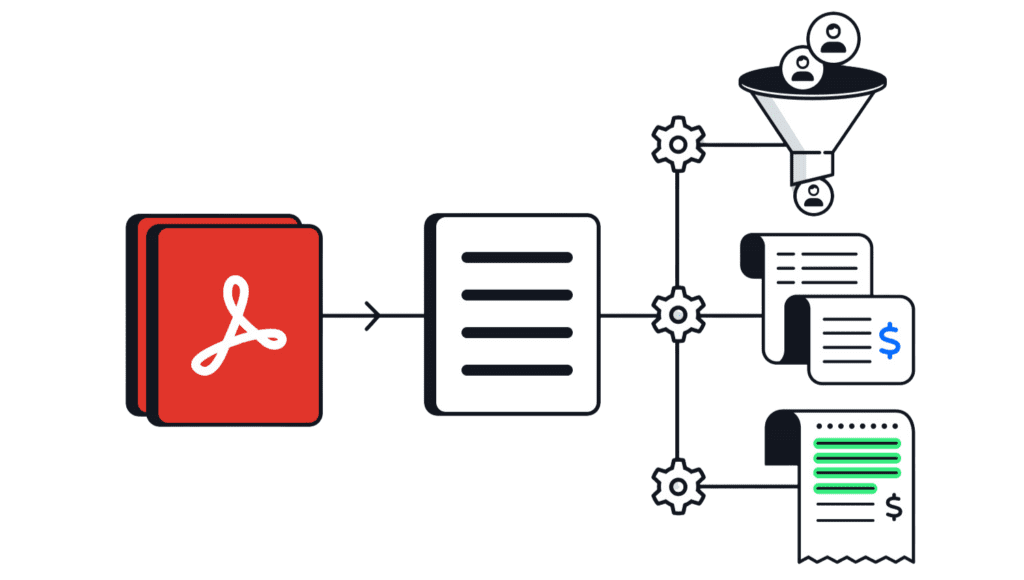
Many businesses use Docparser to automate workflows that are time-consuming when done manually. Here are three common examples:
- Invoice processing: Docparser extracts invoice data from invoices and sends it to an accounting or ERP system. Then, the system can perform three-way matching and route the invoice for approval.
- Lead management: Docparser extracts lead details from forms and moves them to a CRM where new records are created and assigned to sales reps based on pre-set criteria.
- Bank reconciliation: Docparser extracts transactions from bank statements and adds them to the accounting system, which then performs reconciliation and flags discrepancies for review.
In each of those examples, Docparser solves a major pain point: the time spent inputting data manually, which slows down the overall workflow.
Here is how one of our customers described the value he gets from using Docparser for document workflow automation:
“Docparser’s ability to extract information out of a PDF is part of a system, now, that we have put in place, and it is saving us upwards of 200-300 hours a year—definitely a major impact on our business. Efficiency is one of the most important pieces of any business, and for us to be able to facilitate this process and making the process of getting our data from one location to another more efficiently is something that any business would benefit from.”
— Tom Madonia, real estate broker
Start Automating Your Workflows
Workflow automation is now accessible to everyone. If you are looking to streamline invoice processing, customer onboarding, lead management, or other workflows, you can get started without needing technical skills.
In case your time-consuming workflows consist of copying information from invoices, forms, PDFs, or other documents, try Docparser, our AI-powered document parsing solution. It automatically extracts the data you need from documents and sends it to your business tools so you can save time and trigger downstream actions.
For instance, you could automate the creation of new contacts on your CRM simply by uploading lead forms to Docparser. Going a step further, this workflow can even trigger an automated lead assignment and notification action, leading to faster follow-ups and more closed deals.
Ready to automate your document-based workflows? Create your first parser in Docparser today, and if you need help getting started, our team is always happy to assist.