Bank reconciliation is essential for maintaining accurate financial records. While it can be challenging due to high transaction volumes, automation features in modern accounting software make it much more efficient and manageable. If you can move data from bank statements to your software without issues or delays, that is.
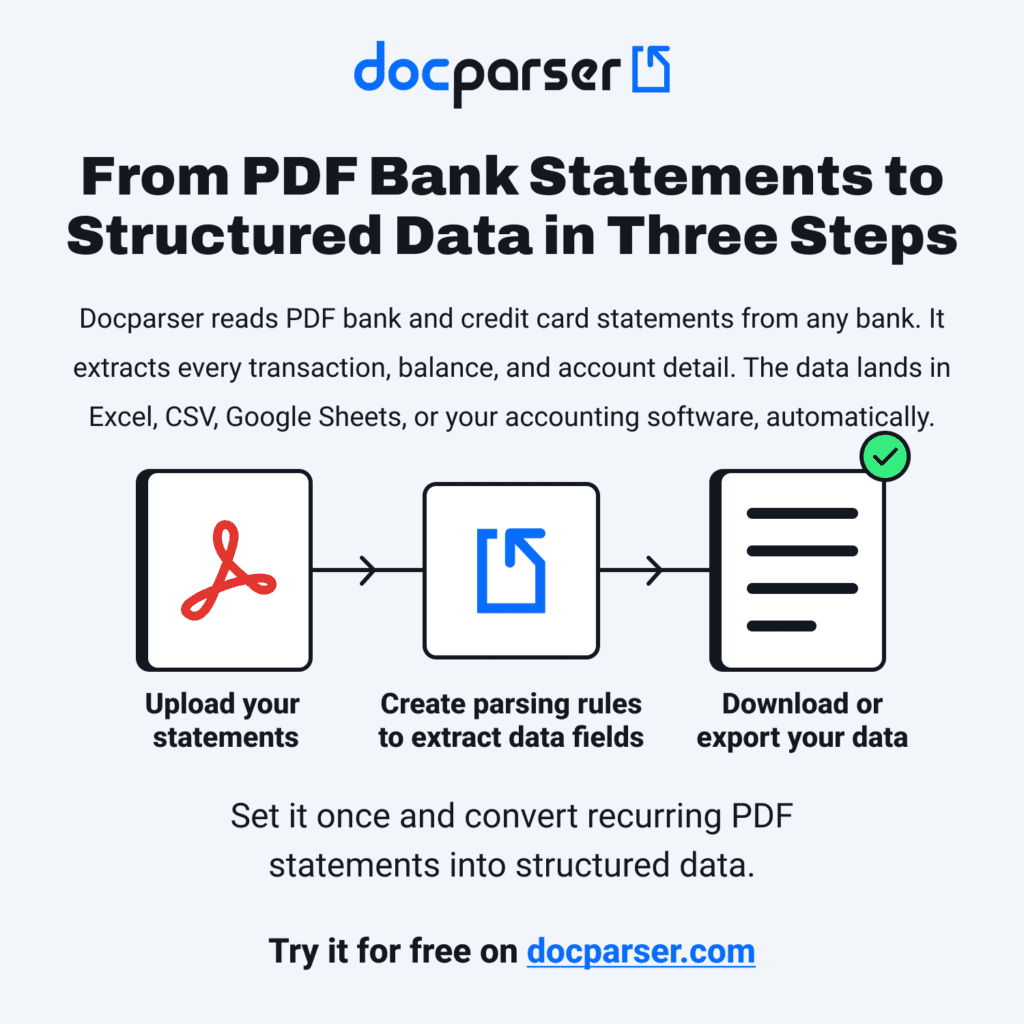
When bank statement uploads and direct bank feeds aren’t available, the solution isn’t to spend countless hours typing transactions manually, but to use bank statement parsing.
By automatically extracting transaction data from PDF bank statements and sending it to QuickBooks, Xero, an ERP, or any other platform, you and your team will save time and effort. Once the data is ready to flow in, you can easily build automated reconciliation workflows.
In this blog post, we show you how to use Docparser to parse bank statements, how it helps you automate bank reconciliation, and why it’s important in 2026.
Capture Key Data from Your Bank Statements Easily
Use Docparser to automate data entry, save time, and streamline your document-based workflows.
No credit card required.
What Is Bank Reconciliation?
Bank Reconciliation is the process of comparing bank statements with financial records, such as the company’s general ledger, to verify the accuracy of transactions and find discrepancies if there are any.
Discrepancies can result from data entry errors, timing differences, outstanding payments, duplicate or unrecorded transactions, or suspicious activity. After rectifying them, the recorded transactions should match the bank records.
Financial teams perform bank reconciliation to ensure the accuracy of financial transactions and reports, improve cash flow, detect fraud, and comply with regulatory requirements.
Here’s the catch, though
Teams often upload bank statements to their accounting platform or even connect bank accounts directly to it. However, they might run into issues such as:
- Not being able to import more than 90 days’ worth of transactions
- Having to reconcile months of years of PDF bank statements
- Lacking the bank login credentials
In those scenarios, you and your team may have to enter data manually, which is time-consuming and error-prone. And as bank statement volume increases, so does the workload. This is where bank statement parsing comes in.
What Is Bank Statement Parsing?
Bank statement parsing, also called bank statement extraction, is the process of extracting data fields from bank statements.
Imagine no longer having to spend hours upon hours entering transaction details into your ERP or accounting platform. What if you could pull the data from PDF bank statements — no matter how many — and send it to your accounting software?
In addition to saving countless hours, you would also prevent data entry errors.
But that’s not all: bank statement parsing takes care of data entry so you can build automated bank reconciliation workflows.
This is what Docparser, our AI-powered document parser, is designed to help you with.
How to Parse Bank Statements Using Docparser
Watch this quick tutorial video to see how to use Docparser to extract data from a bank statement:
This is how you can convert a large volume of bank statements into accurate, structured data ready to be imported into your accounting system.
While Docparser doesn’t integrate directly with accounting or ERP platforms, you can download data in (XLS or CSV format) or export it to your software via a webhook or an integration platform such as Zapier and Workato (in which case a separate subscription is required).
Capture Data from Your Bank Statements Easily
Use Docparser to automate data entry, save time, and streamline your document-based workflows.
No credit card required.
How Parsing Bank Statements Helps You Automate Bank Reconciliation
Automated reconciliation requires accurate bank statement data.
When teams input bank statement data by hand, they lose time that should be dedicated to bank reconciliation. While the deadline looms closer, they are still stuck entering every transaction manually. This is very stressful and, frankly, unnecessary.
Now, consider bank statement parsing: it turns hours of manual data entry into minutes of automated extraction, feeding your system the data it needs to run the reconciliation workflow.
Docparser fits perfectly in this crucial step, paving the way for automated reconciliation:
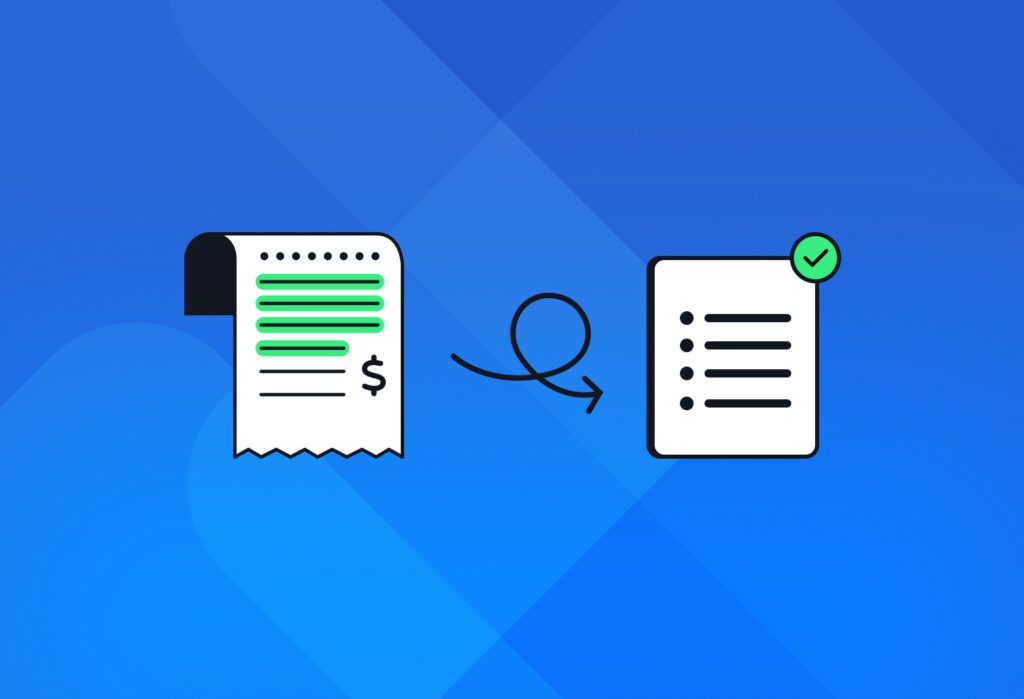
Automated reconciliation compares bank statement lines with entries in the ledger, invoices, bills, and other records. It clears transactions that match and flags discrepancies for you to review.
Once you build this workflow, you will have successfully automated both bank statement data entry and bank reconciliation. This means less stress for your team and more time for high-impact tasks, namely:
- Financial analysis and reporting
- Cash flow management and forecasting
- Strategic decision-making
Why You Should Automate Bank Reconciliation in 2026
In 2026 and beyond, automated reconciliation is no longer a nice-to-have. In fact, it’s becoming necessary for financial visibility, fraud detection, and compliance, especially when handling high volumes of bank statements.
Faster and more accurate bank reconciliation
Automated reconciliation significantly reduces the time spent matching bank statement transactions with accounting records. Instead of manually reviewing lines one by one, transactions are automatically matched against records. This speeds up the entire month-end close process and reduces bottlenecks caused by manual work.
At the same time, reconciliation automation minimizes human error. The result is a faster bank reconciliation that improves both efficiency and the overall accuracy of financial data across your organization.
This also means your financial team has more time for work that requires human expertise.
Better fraud detection
Automated reconciliation flags unmatched transactions, duplicates, or unexpected amounts for review. This helps finance teams identify suspicious activity earlier, rather than discovering issues weeks later during manual checks. Over time, this consistent, rule-based validation creates a stronger control environment and reduces the risk of fraud or financial manipulation going unnoticed.
Improved compliance with regulatory requirements
Reconciliation automation helps maintain structured documentation of every matched and unmatched transaction, creating a clear audit trail. This makes it easier to demonstrate compliance during internal or external audits.
By reducing manual intervention and improving consistency, automation helps finance teams meet regulatory requirements more reliably and reduces the pressure associated with audit preparation and financial controls.
Scalability
Last but not least, automation is well known for enabling scalability. As your business grows, the volume of transactions and bank statements increases as well. Manual reconciliation doesn’t scale well and may require additional headcount to keep up.
An automated reconciliation workflow, on the other hand, can handle hundreds or thousands of transactions without increasing operational workload. It applies the same rules and logic at scale, allowing your financial team to focus on exceptions rather than repetitive work.
If bank statement extraction sounds like the key to unlocking automated bank reconciliation for your team, give Docparser a try.

Capture Key Data from Your Documents Easily
Use Docparser to automate data entry, save time, and streamline your document-based workflows.
No credit card required.
Docparser FAQ
What is document parsing?
Document parsing refers to using a software tool to extract data from documents and sending it to a cloud application or API. Using a document parser allows you to eliminate manual data entry from your workflows, effectively saving countless hours for higher-value work and preventing data entry errors.
Does Docparser integrate with my accounting software?
Docparser can integrate with accounting platforms, like QuickBooks or Xero, either via a webhook integration or an integration platform like Zapier and Make.
Please note that, when using an integration platform to export data, you will need a separate subscription on that platform.
Does Docparser support other bank statement formats (e.g., CSV)?
Yes, Docparser can extract data from the following document formats: PDF, DOCX, DOC, PNG, JPG, TIFF, CSV, XLS, TXT, and XML.
Can Docparser parse scanned bank statements?
Yes! Docparser has a powerful OCR engine capable of extracting data from scanned bank statements in PDF or image format (JPG, PNG, and TIFF).
Can Docparser extract data from multiple bank statements at the same time?
Yes, this is one of the biggest advantages of Docparser. You can upload an entire batch of bank statements to process them all at once and get structured, consolidated data. This will help you populate your accounting platform with data from any number of bank statements in a very short time.
Can Docparser parse credit card statements?
Yes, Docparser can parse credit card statements. any type of structure, semi-structured, or unstructured document.
Is Docparser secure?
Yes, Docparser is secure. We take data security and privacy very seriously and have measures in place to keep your data secure. We use bank-level encryption, and our servers are regularly updated with the latest security patches. To learn more, feel free to read our security statement and privacy policy.
In Conclusion
Bank reconciliation can be very stressful for financial teams, particularly when facing tight deadlines. Fortunately, most accounting platforms now include reconciliation automation features. You just need to feed them bank statement data.
Docparser helps you extract data from bank statements and send it to your ERP or accounting software, thus saving hours of grueling work and avoiding errors. Once the data arrives in your system, you can run an automated reconciliation workflow to quickly identify outstanding withdrawals, deposits, fees, and other discrepancies.
If importing bank statement data has been an issue for your team, don’t wait another day to change that. Sign up today for a Docparser free trial and set up your bank statement parser. Our customer happiness team will happily help you get started.
Capture Key Data from Your Documents Easily
Use Docparser to automate data entry, save time, and streamline your document-based workflows.
No credit card required.