The Future of Data Entry Is in Automation
Manual data entry is notorious for being time-consuming, error-prone, and difficult to scale. As a result, businesses are increasingly turning to automated data entry, which eliminates manual work and reduces costs.
Manual data entry is often a big issue for teams
Manual data entry presents many challenges that hinder operations and the bottom line.
- Slow and costly: Every hour spent entering data by hand represents an additional cost to the company. Adobe estimates the average cost of processing one invoice to range from $15 to $40. A business that handles hundreds of invoices per month will spend tens of thousands of dollars annually on manual document processing.
- Data inaccuracies create more issues: Incorrect information costs extra time and effort to fix. The longer it goes unnoticed and the more problematic it gets. For instance, it can mislead decision-makers and cause embarrassing issues with customers.
- Delays in workflows and decision-making: Data entry slows down workflows that rely and may even create bottlenecks. Also, decision-makers who need data-driven insights must wait for it.
- Manual data entry hardly scales: As a company grows, so does the volume of documents to process. Hiring more people just to input data is costly and impractical.
- Low employee morale: Employees are stuck inputting data for hours instead of doing more engaging work. This makes them feel stressed and less motivated.
Now that these issues can be alleviated with automation, there is no reason to keep relying solely on manual data entry. The right software can do wonders for productivity and workflow automation.

How does automated data entry software work?
As we mentioned earlier, modern data entry software relies on several technologies to capture data, namely:
- Rule-based data extraction: Algorithms are trained by the user to identify specific data fields and extract them.
- OCR (Optical Character Recognition): Identifies data in scanned documents (in PDF or image formats) and extracts it accurately.
- Artificial Intelligence: Software with AI capabilities can handle more complex data extraction cases like documents with varying layouts. It can also automate the setup process.
- ICR (Intelligent Character Recognition): Recognizes handwriting and converts it into machine-readable data.
- NLP (Natural Language Processing): Goes beyond data extraction to understand context and meaning.
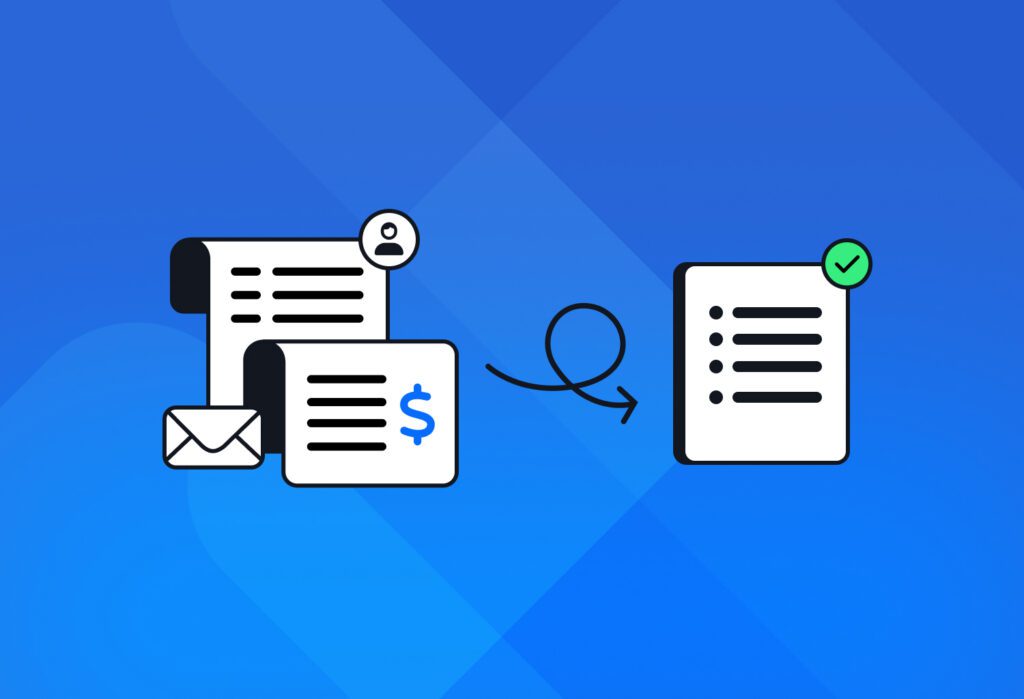
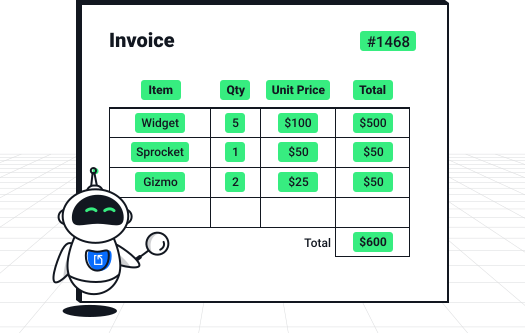
The software identifies relevant fields such as names, dates, or invoice totals and converts them into structured data that can be exported to business systems.
What are the benefits of using automated data entry software?
You can already guess what the benefits of automating data entry are. Let’s go over them briefly:
- Teams free up time for high-value tasks. After reclaiming the time previously lost to data entry, employees can focus more on critical tasks and execute them better and faster. This sharpens the business’s competitive edge and leads to more profitable results.
- Data entry costs go down. Companies save five- or six- figure amounts annually by reducing the cost of manual work, mistakes, and missed opportunities.
- Data entry errors are prevented. Manual work leads to mistakes that not only cost time and money to fix but can also damage reputation. Thankfully, data entry automation reduces error rates to a negligible level.
- Scaling gets easier. Automated software can handle larger volumes of data without requiring more manual work. So the business can grow without experiencing bottlenecks in data and document processing.
- Better security and compliance. Most automated solutions follow security protocols to protect data and maintain compliance. By contrast, manual work can lead to mistakes and even unauthorized access.
If you, too, are facing challenges with data entry and are interested in realizing those benefits, you can get started today with Docparser. Upload a document you input manually and set up your data extraction solution in minutes.
How to Choose the Right Data Entry Software
To choose the right data entry software for your business, you should assess your use cases and evaluate important factors such as ease of use, accuracy, AI capabilities, integrations, and the availability and quality of support.
Assess your use cases
Start by identifying the types of documents and workflows you want to automate. Is it invoices? Forms? Contracts? Leads? Anything else? Consider both use cases and document formats. Understanding your needs will help you choose software that can reliably handle them.
For example, if you deal with scanned documents, you’re going to need OCR software to convert them to digital data.
Ease of use
You want software with an intuitive and user-friendly interface that anyone can use with minimal training, especially teams without technical expertise. Free trials allow you to test how to upload documents, define extraction rules, and export data to your systems.
Evaluate accuracy and reliability
Data accuracy is essential for a successful transition from manual to automated data entry. So be sure to test the solution you’re considering with real sample documents to see how well it captures the information you need.
AI-powered features
Modern solutions often include AI-powered capabilities to improve data accuracy, reduce setup time, and cover a wide range of use cases. For instance, if you need to convert handwriting to text, or extract checkbox data, you’ll need an AI-powered tool.
Look for integration capabilities
Software rarely works in a vacuum. You want to be able to move data seamlessly from its source to your business systems without issues. Common examples include:
- Export invoice data to an accounting platform like Xero
- Add new leads to HubSpot
By setting up integrations, you unlock the real productivity gains: moving data from documents to systems and automating downstream workflows like notifying team members, creating new tasks, sending outbound emails, and more.
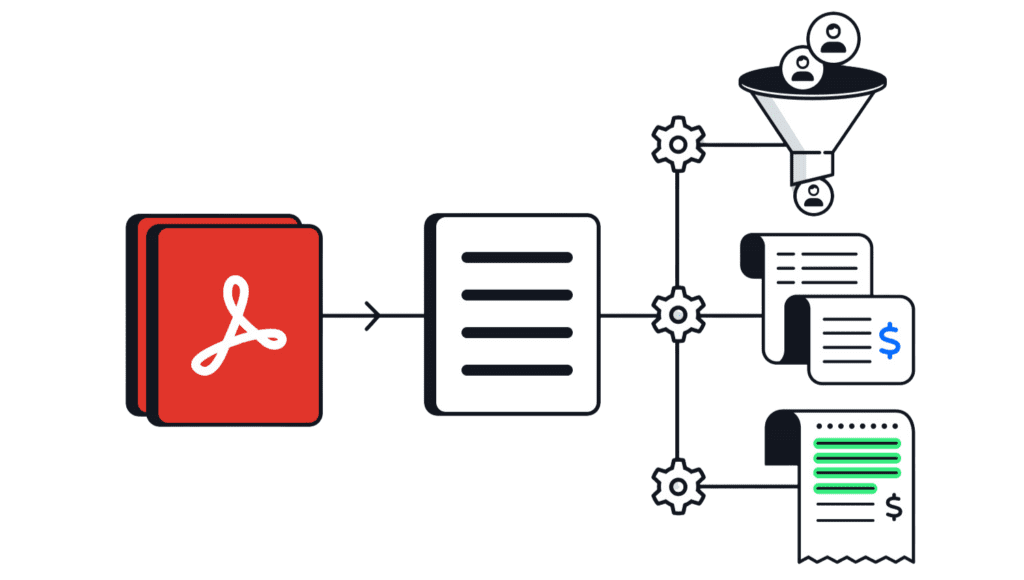
With this in mind, explore the integrations offered by the software you’re considering, and make sure it can integrate with your apps and systems so that it fits within your tech stack without disruption.
Quality and availability of support
Finally, reliable customer support is crucial when setting up or troubleshooting software. The right provider should offer responsive assistance, helpful documentation, and consistent support for custom requests.
This dedication to customer support has earned Docparser industry recognition. It was recently featured in Software Advice’s 2026 ‘Best Customer Support’ recognition list, and holds a 4.8/5 rating on Software Advice, Capterra, and GetApp.
Frequently Asked Questions (FAQ)
What types of documents can data entry software process?
Data entry software can process many document types, including invoices, purchase orders, receipts, customer forms, contracts, shipping documents, resumes, and reports. Modern tools can extract data from PDFs, scanned files, images, and even email messages.
Can automated data entry software integrate with my existing tools?
Yes. Most automated solutions can integrate with common tools like spreadsheets, accounting platforms, CRMs, etc. So it’ll be easy for you to move capture data to your business systems.
Is automated data entry software expensive?
Pricing varies from one solution to another and depends on the features offered and the volume of data to capture. That being said, data entry automation quickly pays for itself by reducing the cost of data entry.
How do you measure the ROI of data entry automation?
You can measure ROI by the time and cost saved through automation. This includes not only the cost of manual work but also the cost of errors and their consequences. Furthermore, consider the boost in productivity and profitability that employees unlock once they reallocate their time to higher-impact work.
How secure is the data processed by data entry software?
Most modern data entry platforms use secure cloud infrastructure, encryption, and access controls to protect user data. Be sure to review your provider’s security policies and compliance standards.
In Conclusion
Manual data entry is no longer sustainable for businesses that want to operate efficiently. The logical choice is to move to automated data entry software. By doing so, they save time and costs and streamline workflows.
Once you implement the right solution, you will future-proof your operations, improve employee productivity, and gain a competitive edge. You don’t have to go through a lengthy research process. In fact, you can start automating data entry right now with a Docparser free trial. Upload a test document, set up parsing rules, and get accurate data in moments.